
How to Automate Chama Records | Free Trial | ChamaConnect
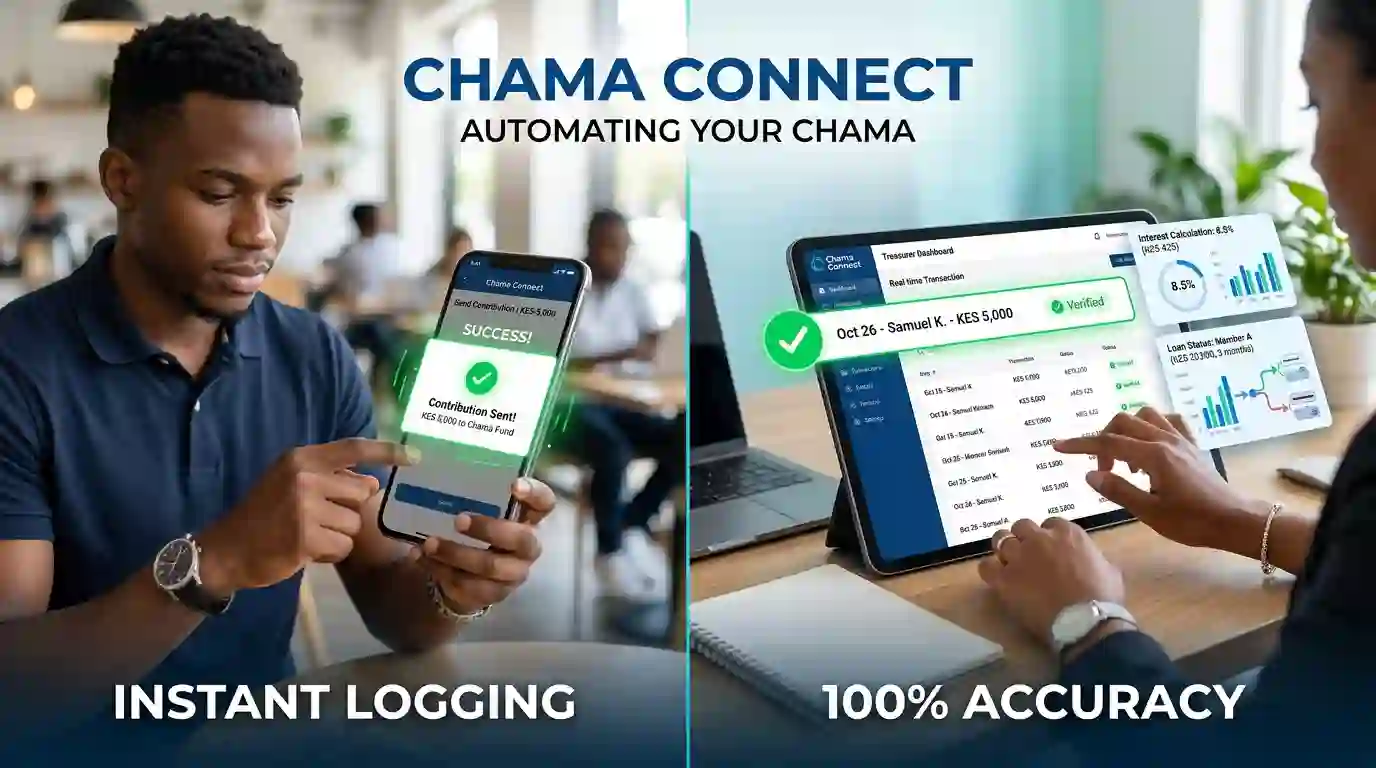
You can automate chama record keeping with ChamaConnect by assigning office-bearer roles, setting up your group's payment and financial rules, and allowing member activity to flow directly into the system.
Once your chama is onboarded and its payment settings are configured, contributions, member activity, financial transactions and other group records can be managed digitally instead of being copied between notebooks, spreadsheets and WhatsApp messages. ChamaConnect supports role-based access for office bearers, including financial and administrative controls.
How to automate chama records with ChamaConnect
1. Set up your chama and assign roles
The first step is getting your group structure into ChamaConnect.
Your office bearers have different responsibilities, so the system should reflect those responsibilities rather than giving everyone the same level of access.
For example:
Treasurer: handles financial records, contributions and other financial activity.
Chairperson/Admin: helps manage group policies, settings, decisions and mandates.
Secretary: manages meetings, minutes and important administrative records.
Members: access their own relevant group and financial information.
ChamaConnect uses role-based access so authorised officers can perform the actions assigned to their roles.
2. Configure your chama's rules and payment settings
Before members start using the platform, the chama can configure its contribution arrangements, financial settings and payment details.
This is important because the system then has the rules it needs to manage the group's activity.
Once the M-Pesa payment setup is configured, members can make contributions directly through the platform using the Make Contribution option.
3. Members make contributions through the platform
A member doesn't need to send money and then wait for someone to update a spreadsheet.
They can make the contribution through ChamaConnect.
The payment is recorded in the system, creating an updated digital contribution record. ChamaConnect's current contribution workflow supports M-Pesa payments made through the platform, while the treasurer can also record eligible payments made outside the system.
4. Allocate the payment to the right wallet
A chama may have several financial purposes running at the same time.
One member's payment could include:
Regular savings
An investment goal
Loan repayment
Fines or penalties
Welfare
Another approved group purpose
ChamaConnect allows contributions to be allocated to the appropriate approved wallets.
The treasurer can distribute a manually recorded payment across the relevant wallets. Where the member is making the payment through the platform, they can also specify where the contribution should go.
That means the record doesn't simply say “KSh 5,000 received.”
It can show where that money belongs.
5. Keep member records updated automatically
Once activity is recorded, the relevant member and financial information stays within the platform.
Instead of updating a member ledger separately after every transaction, the group's digital records remain connected.
A contribution becomes part of the member's financial activity.
A loan remains connected to the member.
A repayment updates the loan record.
A wallet allocation shows the purpose of the money.
This connected approach is one of the main advantages of digital chama record keeping. ChamaConnect's platform brings membership, contributions, savings, loans, welfare, payments and reporting into the same group environment.
6. Let office bearers review and manage their records
Automation doesn't mean removing accountability.
The system still gives office bearers responsibilities according to their roles.
A treasurer can handle financial entries. Other authorised office bearers can review actions that require approval. The secretary can maintain meeting and administrative records, while the chairperson or administrator can help enforce the group's agreed policies and mandates.
This creates a digital record of group activity while keeping responsibilities separated.
ChamaConnect also maintains an audit trail for key financial and administrative actions, helping groups trace who did what and when.
What happens after your chama goes digital?
Once the system is configured, your chama no longer needs to treat record keeping as a separate task after every activity.
A member contributes.
The payment is recorded.
The money is allocated.
The member's financial activity is updated.
An authorised officer performs an action.
The system records it according to the group's controls.
A meeting takes place.
The secretary can maintain the relevant record digitally.
The goal is simple: your chama's records should grow as the chama operates.
Automate chama records with ChamaConnect
ChamaConnect brings member management, contributions, savings, loans, welfare, payments, roles and reporting into one digital platform.
Instead of asking the treasurer, secretary or administrator to update several separate records after every activity, your chama can manage its operations through one connected system.
Less manual record keeping. Clearer records. More accountability.
Frequently Asked Questions
Can ChamaConnect automate chama record keeping?
Yes. ChamaConnect connects member activity, contributions, payments, loans and other group activities within one digital system.
Can members make contributions directly through ChamaConnect?
Yes. Once the chama's payment setup is configured, members can use the contribution option on their dashboard to make payments, with the transaction recorded in the system.
Can a contribution be divided between different wallets?
Yes. Contributions can be allocated to approved wallets such as savings, investments, loan repayments, fines and welfare.
Can the treasurer record an M-Pesa payment made outside ChamaConnect?
Yes. The treasurer can manually enter eligible M-Pesa transactions and allocate them to the appropriate wallets.
Does ChamaConnect support different office-bearer roles?
Yes. ChamaConnect uses role-based access for office bearers, allowing responsibilities and permissions to be controlled according to the group's structure.
Can ChamaConnect keep an audit trail?
Yes. Key financial and administrative actions are logged so the group can maintain a traceable record of activity.
Manage your chama records digitally
Your chama shouldn't have to rebuild its records every time someone asks, “How much have I contributed?” or “Where did that money go?”
With ChamaConnect, the activity happens in the platform and the records stay connected.
Run Your Chama With Confidence