
How to Automate Chama Contributions - Guide | ChamaConnect
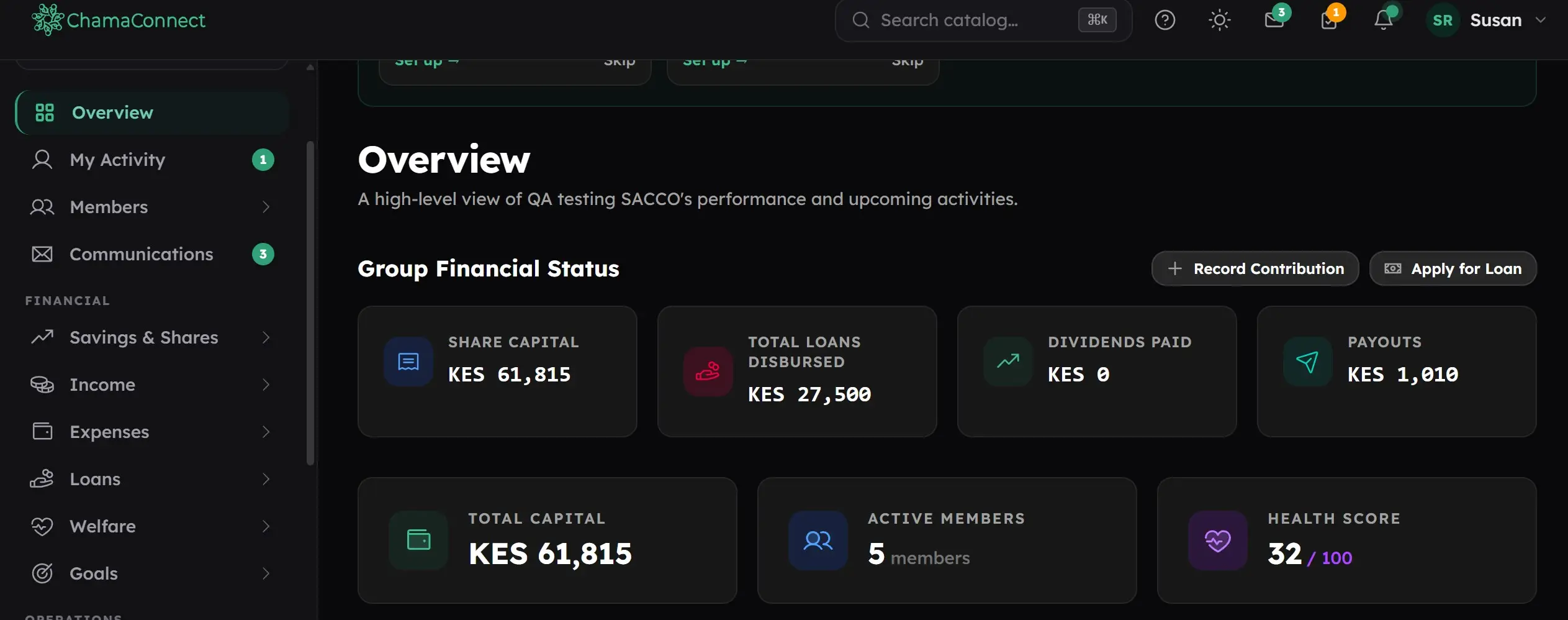
ChamaConnect makes it easier to automate chama contributions, track member savings, and keep accurate contribution records in one place. Instead of relying on notebooks, spreadsheets, or manually updated contribution registers, your group can manage contributions digitally and see the latest records when you need them.
Start managing your chama contributions with ChamaConnect.
How to automate chama contributions with ChamaConnect
1. Set up your chama's contribution system
Your chama can configure its contribution arrangements in ChamaConnect before members start making payments.
Once the payment details are set up, members can use the Contribute Now button available on their dashboard.
This gives every member a direct way to make their chama payment without relying on the treasurer to record every transaction manually.
2. Members contribute directly through ChamaConnect
Each member sees a Make Contribution button on their dashoard. Once the chama's M-Pesa payment details are configured, the member can make a contribution directly through the platform and the transaction is automatically recorded.
When a member wants to make a contribution, they click Make A Contribution and complete the payment using the configured M-Pesa setup.
The transaction is then recorded in ChamaConnect, so the contribution does not have to be entered again by the treasurer.
This helps create automated member savings records while reducing manual data entry.
3. Record M-Pesa payments made outside the system
Not every payment will necessarily be initiated through ChamaConnect.
If a member sends money directly through M-Pesa, the treasurer can still enter the transaction manually into the system.
The transaction can then go through the chama's approval process instead of remaining in a separate M-Pesa message, notebook or spreadsheet.
4. Distribute contributions across different wallets
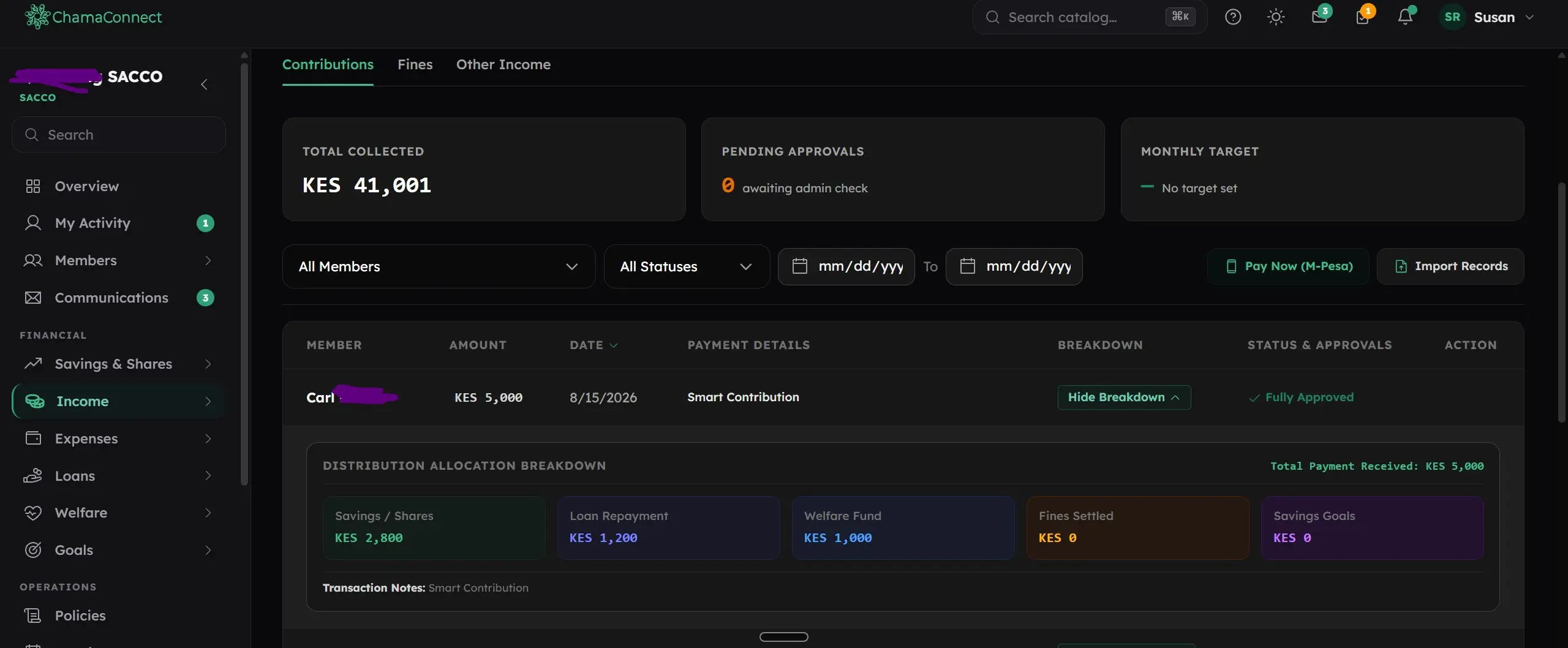
Chamas often collect money for more than ordinary member savings.
For example, your group may have approved wallets for:
Regular contributions
An investment goal
Fines and penalties
Loan repayments
Welfare
Other chama-approved purposes
When the treasurer enters a contribution, ChamaConnect can prompt them to distribute the payment across the valid wallets.
For example, if a member makes one payment covering regular savings, a fine and a loan repayment, the treasurer can allocate the relevant amounts to each wallet instead of recording everything as one general contribution.
This gives the chama a clearer digital ledger and transaction history.
5. Office bearers approve recorded transactions
Manual entries made by the treasurer don't simply become accepted records without review.
Other authorised office bearers can review the transaction and approve it as a true record.
This creates an additional layer of accountability around chama payment tracking and financial records.
6. Keep contribution records updated
Once transactions are recorded and approved, the contribution information stays within ChamaConnect.
Members can keep track of their financial activity, while officials have a central record of contributions, wallet allocations and other transactions.
Your chama doesn't have to maintain separate records for every payment.
Automate your chama contributions
ChamaConnect brings chama contribution management into one digital system.
Members can make contributions directly, treasurers can record outside M-Pesa payments, contributions can be allocated to the correct wallets, and office bearers can approve manual entries.
That means less manual record keeping and a clearer view of where every contribution goes.
Start managing your chama contributions with ChamaConnect.
Frequently Asked Questions
How can I automate chama contributions?
ChamaConnect allows members to make contributions through the Contribute Now option on their dashboard, with transactions recorded in the system.
Can software track monthly chama contributions automatically?
Yes. Contributions made through the configured payment process are recorded in ChamaConnect, creating updated digital member savings records.
Can members contribute to different chama wallets?
Yes. Contributions can be allocated to approved wallets such as savings, investments, fines, welfare and loan repayments.
Can the treasurer record an M-Pesa payment made outside the system?
Yes. The treasurer can manually enter an M-Pesa transaction and allocate the payment to the relevant wallets.
Who approves manually entered chama transactions?
Manual entries must be reviewed and approved by the chama's other authorised office bearers, providing an additional check on the accuracy of the records.
Can members receive contribution reminders?
ChamaConnect supports a more organised contribution process, including reminders for upcoming contributions.
Can the system record M-Pesa contributions done automatically through the platform?
Yes. M-Pesa contribution done through platform are captured automatically through the paybill API as part of the group's digital financial records, helping maintain a clearer contribution history.