
Chama Financial Management Software- Kenya l ChamaConnect
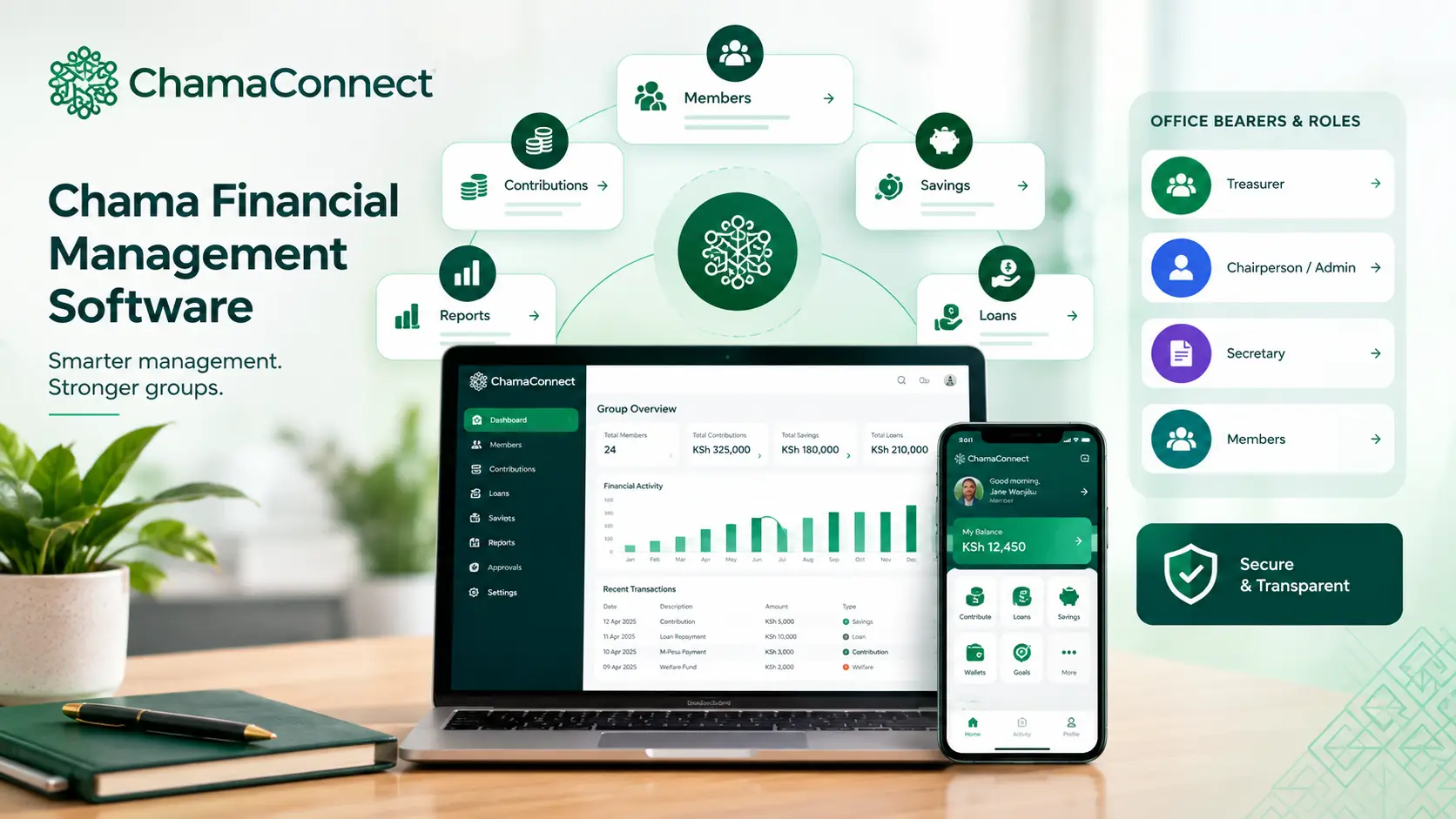
Managing chama finances becomes difficult when contributions, expenses, loans, savings, payments and member records are kept in different places. ChamaConnect is chama financial management software built to bring these activities into one digital platform.
Once your group is onboarded and its financial settings are configured, office bearers can manage financial activity according to their roles while members can make contributions, view their records and interact with the group digitally.
The goal is simple: keep your chama's money and financial records organised as the group operates.
What can chama financial management software manage?
ChamaConnect brings the main financial activities of a savings group into one connected system.
This includes:
Member contributions
Savings and shares
Financial wallets
Loans and repayments
Welfare funds
Investment goals
M-Pesa payments
Expenses and income
Financial records
Approvals
Financial reporting
Instead of maintaining separate spreadsheets for each activity, the relevant information remains connected to the group and its members.
The platform is designed for chamas, table banking groups, SACCO groups, merry-go-round groups and other savings groups.
How does ChamaConnect manage chama finances?
The system starts with your group's financial rules and settings.
The treasurer can configure financial settings such as contribution arrangements, while the group can establish its policies for loans, savings and other financial activities.
Office-bearer responsibilities are also reflected in the platform.
The treasurer handles financial activity. The chairperson or administrator manages policies, settings and group mandates. The secretary can maintain meetings, minutes and other important records.
This keeps financial responsibilities separate while allowing the group to work from the same system.
How are chama contributions recorded?
Members can make contributions directly through the platform using the Make Contribution option.
With the group's M-Pesa payment setup configured, the transaction can be captured and recorded in the system.
Contributions can also be allocated to different approved wallets.
For example, a member could direct money towards:
Regular savings
An investment goal
Loan repayment
Fines or penalties
Welfare
Another approved group purpose
The treasurer can also record an M-Pesa transaction made outside the platform and allocate the amount to the appropriate wallets.
This means the financial record can show more than just the amount received. It can also show what the money was intended for.
Can ChamaConnect manage chama loans?
Yes.
Loan management is part of the financial system rather than a separate spreadsheet.
The treasurer can configure borrowing rules, including the group's interest and repayment arrangements. Members can then apply for loans digitally.
Depending on the group's policy, the process can include:
Member submits a loan application.
The system checks the applicable borrowing rules.
Guarantors are selected.
Guarantors receive requests and respond digitally.
Office bearers review and approve the application.
The loan is disbursed.
Repayments are tracked through the system.
The member's loan information can include the amount, interest rate, repayment period, status and outstanding balance.
How does the software manage financial records?
A major advantage of digital chama financial management is that records can be created as the group carries out its normal activities.
A member makes a contribution.
The financial activity is recorded.
A contribution is allocated to a wallet.
The allocation becomes part of the group's financial record.
A member receives a loan.
The loan remains connected to the member's financial activity.
A repayment is made.
The outstanding loan information can be updated.
This reduces the need to copy the same transaction into several separate records.
How does ChamaConnect help office bearers?
Chama financial management isn't only about recording money.
Someone has to make decisions, approve transactions, maintain policies and keep the group's records in order.
ChamaConnect gives office bearers defined responsibilities within the platform.
The treasurer can focus on financial management. The chairperson or administrator can regulate group policies and mandates. The secretary can manage meetings, minutes and administrative records.
This creates a clearer separation of responsibilities while keeping the group's activities within one system.
Can members see their financial activity?
Yes.
Members can access their relevant information through the platform instead of relying entirely on the treasurer to provide an update.
Their digital activity can include contributions, savings, loans and other financial information associated with their membership.
That makes it easier for members to understand their position in the group and reduces repeated requests for manual updates.
Why use chama financial management software instead of spreadsheets?
Spreadsheets can work for a small group, but financial information becomes harder to manage as the chama grows and more activities are added.
A digital chama financial management system can connect:
Members → Contributions → Wallets → Loans → Repayments → Reports
That connection matters.
A financial transaction shouldn't exist as an isolated number. It should remain connected to the member, purpose, wallet or loan it relates to.
ChamaConnect is built around that connected approach.
What makes ChamaConnect different?
ChamaConnect combines financial management with the wider operations of a chama.
Members, contributions, loans, goals, welfare, payments, roles and reporting can be managed from the same platform.
The platform also uses role-based controls and a blockchain-backed audit trail for key transactions, helping create a more traceable record of important activity.
The technology stays in the background.
What members experience is a clearer way to manage the chama.
Ready to start your chama journey? Book A Demo l Get In Touch
Frequently Asked Questions
What is chama financial management software?
Chama financial management software is a digital system that helps savings groups manage contributions, savings, loans, payments, expenses, financial records and reports in one place.
Can ChamaConnect manage chama contributions?
Yes. Members can make contributions through the platform, while authorised office bearers can manage and allocate financial transactions to the appropriate wallets.
Can ChamaConnect manage M-Pesa transactions?
Yes. The platform supports M-Pesa contribution workflows. Eligible transactions made outside the platform can also be entered by the treasurer and allocated to the relevant wallets.
Can ChamaConnect manage chama loans?
Yes. ChamaConnect supports loan applications, borrowing rules, guarantors, approvals, disbursement and repayment tracking.
Can members access their financial records?
Yes. Members can access relevant financial activity associated with their accounts, including contribution and loan information.
Can office bearers have different responsibilities?
Yes. ChamaConnect uses role-based access so different office bearers can have responsibilities and permissions appropriate to their roles.
Is ChamaConnect suitable for Kenyan chamas?
Yes. ChamaConnect is built with Kenyan savings groups in mind, including support for M-Pesa-based contribution workflows and common chama financial processes.
Does ChamaConnect provide financial reports?
Yes. The platform includes reporting tools that help groups review their financial activity and records.
Manage Your Chama's Finances in One Place
Your chama's financial management shouldn't depend on a collection of notebooks, spreadsheets and messages.
ChamaConnect brings the financial side of your group into one connected platform.
Manage contributions. Track loans. Organise wallets. Record financial activity. Keep members informed.
Run Your Chama With Confidence.
Power your chama with CahamaConnect : Book A Demo l Get In Touch